


Introduction
Public Wi-Fi has become a part of everyday life. Whether you are working from a coffee shop, waiting at an airport, staying in a hotel, or relaxing in a shopping mall, free internet access is often available. The convenience is undeniable. You can check emails, browse websites, attend online meetings, stream content, and stay connected without using mobile data.
However, many people ask an important question: Is Public Wi-Fi Safe? The answer is not always straightforward. While public wireless networks provide convenience, they can also expose users to various cybersecurity threats. Hackers often target unsecured networks because they know many people connect without considering the risks.
When you use a public network, your personal information may be vulnerable if proper security measures are not in place. Sensitive details such as passwords, banking information, login credentials, and private messages can potentially be intercepted by cybercriminals.
Understanding the dangers does not mean you should avoid public Wi-Fi entirely. Instead, it means learning how these networks work and adopting smart habits to reduce your risk. With the right precautions, you can enjoy the benefits of public internet access while protecting your privacy and data.
In this guide, you will learn what public Wi-Fi is, why it matters, common risks, practical protection strategies, mistakes to avoid, and expert tips that can help you stay safe whenever you connect to a public network.
What is Public Wi-Fi?
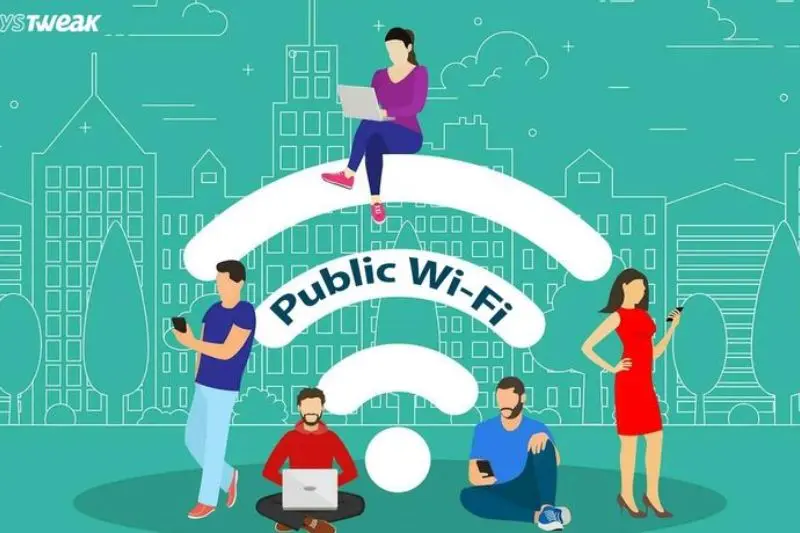
Public Wi-Fi refers to wireless internet networks that are available for public use. These networks are commonly offered in places such as:
- Coffee shops
- Restaurants
- Airports
- Hotels
- Libraries
- Universities
- Shopping centers
- Public transportation hubs
Most public networks allow users to connect without extensive verification. Some require a password, while others are completely open.
The main purpose of public Wi-Fi is convenience. Businesses often provide free internet access to attract customers and improve the user experience. However, because many people share the same network, security controls are often weaker than those found in private home or office networks.
This is why the question, “Is Public Wi-Fi Safe?” remains relevant for anyone who regularly uses these services.
Why is Public Wi-Fi Important?
Public Wi-Fi plays a significant role in modern life for several reasons.
First, it provides internet access to people who may not have reliable mobile data coverage. Travelers especially depend on public networks when visiting unfamiliar locations.
Second, it helps remote workers remain productive outside traditional office environments. A stable wireless connection can make it possible to send files, attend meetings, and communicate with clients.
Third, students frequently use public networks in libraries, campuses, and study spaces to access educational resources.
Additionally, public Wi-Fi can reduce mobile data consumption, helping users save money on internet costs.
Despite these advantages, users must understand the security implications. Convenience should never come at the expense of personal safety and data protection.
Detailed Step-by-Step Guide
Step 1: Understand the Security Risks
Before connecting to any network, recognize that public Wi-Fi environments can be attractive targets for cybercriminals.
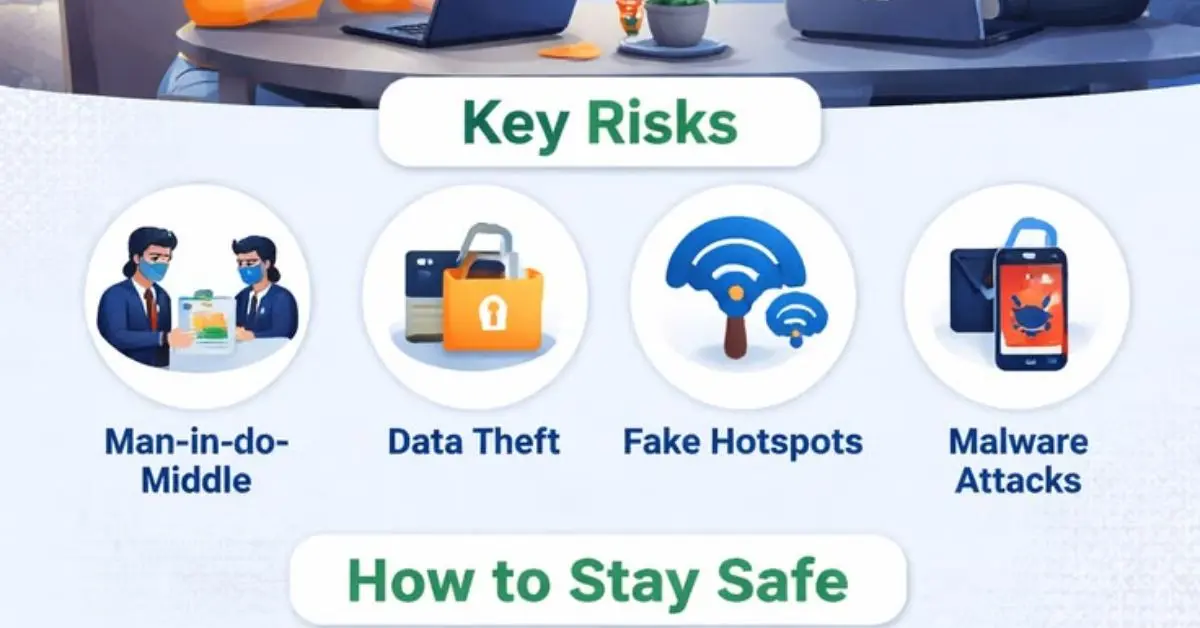
Hackers may attempt to monitor traffic, steal credentials, distribute malware, or create fake hotspots. Awareness is the first line of defense.
When asking, “Is Public Wi-Fi Safe?” remember that safety often depends on how you use the network and the precautions you take.
Step 2: Verify the Network Name
One common attack involves fake wireless networks.
For example, if a coffee shop offers a network called “CafeFreeWiFi,” a hacker might create a similar network named “Cafe_Free_WiFi.” Many users connect without checking carefully.
Always verify the exact network name with staff before connecting.
This simple step can prevent you from accidentally joining a malicious hotspot designed to collect your data.
Step 3: Avoid Accessing Sensitive Accounts
Whenever possible, avoid performing sensitive activities on public Wi-Fi.
Examples include:
- Online banking
- Investment account access
- Tax filing
- Medical record access
- Large financial transactions
If you must access sensitive information, consider using a more secure connection such as mobile data.
Reducing exposure significantly lowers potential risks.
Step 4: Use a VPN
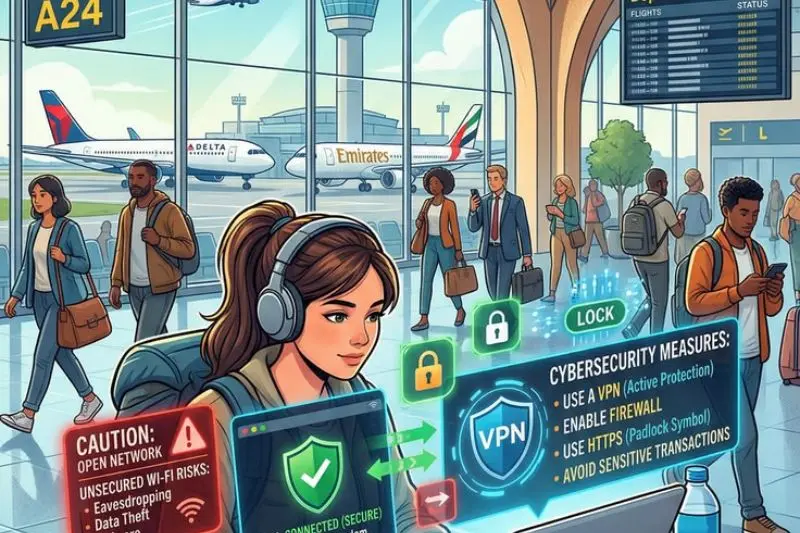
A Virtual Private Network, commonly known as a VPN, encrypts internet traffic between your device and a secure server.
This added layer of protection makes it more difficult for attackers to intercept your information.
VPNs are among the most effective tools for protecting privacy on public networks.
Many cybersecurity professionals recommend using one whenever connecting to public Wi-Fi.
Step 5: Enable HTTPS Connections
Modern websites often use HTTPS encryption.
When visiting a website, look for:
- HTTPS at the beginning of the URL
- A padlock icon in the browser
HTTPS helps protect data transmitted between your browser and the website.
Although it does not eliminate every risk, it provides stronger security than unsecured HTTP connections.
Step 6: Turn Off Automatic Connections
Many smartphones and laptops automatically reconnect to previously used wireless networks.
This convenience can create security issues.
Disable automatic network joining whenever possible. Instead, manually select trusted networks.
This prevents your device from connecting to suspicious hotspots without your knowledge.
Step 7: Keep Software Updated
Software updates often contain important security patches.
Make sure to update:
- Operating systems
- Browsers
- Security software
- Applications
Cybercriminals frequently exploit outdated software vulnerabilities.
Regular updates reduce these opportunities and improve overall protection.
Step 8: Use Strong Authentication
Strong passwords remain essential.
In addition, enable multi-factor authentication whenever available.
Multi-factor authentication requires a second verification method, such as:
- Text message codes
- Authentication apps
- Security keys
- Biometric verification
Even if a password is compromised, an additional security layer helps prevent unauthorized access.
Step 9: Disable File Sharing
Many devices support file and printer sharing.
While useful at home or in the office, these features can create unnecessary exposure on public networks.
Disable sharing functions before connecting to public Wi-Fi.
Doing so limits opportunities for unauthorized access.
Step 10: Monitor Your Accounts
Regular monitoring can help identify suspicious activity quickly.
Review:
- Bank statements
- Credit card transactions
- Email login alerts
- Social media activity
Early detection often minimizes potential damage and allows faster response to security incidents.
Benefits of Public Wi-Fi
Public Wi-Fi offers numerous advantages when used responsibly.
- Provides convenient internet access in public locations.
- Reduces mobile data usage.
- Helps travelers stay connected.
- Supports remote work and productivity.
- Allows access to online resources from almost anywhere.
- Makes communication easier while away from home.
- Enables quick browsing and information searches.
- Supports educational and professional activities.
- Often available at no additional cost.
- Improves customer experience in businesses and public venues.
These benefits explain why public wireless networks remain popular worldwide.
Disadvantages / Risks
Although useful, public Wi-Fi also presents several security concerns.
- Data interception by cybercriminals.
- Fake hotspots designed to steal information.
- Increased exposure to malware attacks.
- Potential password theft.
- Session hijacking risks.
- Privacy breaches.
- Identity theft opportunities.
- Weak network security controls.
- Unsecured file sharing vulnerabilities.
- Difficulty verifying network legitimacy.
Understanding these risks helps users make smarter security decisions.
Common Mistakes to Avoid
Many security incidents occur because users make avoidable mistakes.
One common error is connecting to any available network without verification. Always confirm that the network belongs to the organization offering it.
Another mistake is logging into banking accounts while using unsecured public Wi-Fi. Sensitive activities should be performed only when adequate security measures are in place.
Some users ignore software updates for weeks or months. This creates opportunities for attackers to exploit known vulnerabilities.
Reusing the same password across multiple accounts is another major problem. If one account becomes compromised, others may also be at risk.
People often leave Bluetooth, file sharing, or device discovery features enabled. These settings can increase exposure on shared networks.
Many users fail to sign out of important accounts after use. Remaining logged in may create additional security concerns if a device is lost or compromised.
Finally, some individuals assume that password-protected public networks are automatically secure. A password requirement does not guarantee strong protection.
Avoiding these mistakes can significantly improve your online safety.
FAQs
Is Public Wi-Fi Safe for online banking?
Public Wi-Fi is generally not the ideal choice for online banking. If banking access is necessary, use a VPN, verify the network, and ensure the website uses HTTPS encryption. Mobile data is often a safer alternative.
Can hackers see my activity on public Wi-Fi?
In some situations, attackers may monitor unencrypted traffic on unsecured networks. This is one reason why encryption, VPN usage, and secure websites are important protective measures.
Are password-protected public networks completely safe?
No. Password protection may limit access to the network, but it does not guarantee complete security. Additional precautions are still necessary.
What information can hackers steal on public Wi-Fi?
Depending on the circumstances, attackers may attempt to obtain usernames, passwords, email data, browsing activity, financial information, and other personal details.
Should I use a VPN on public Wi-Fi?
Yes. A VPN is one of the most effective ways to improve privacy and security while using public wireless networks because it encrypts your internet traffic.
Is public Wi-Fi safer on a smartphone than on a laptop?
The device type alone does not determine safety. Both smartphones and laptops can face risks if connected to insecure networks without proper security precautions.
How can I tell if a public Wi-Fi network is legitimate?
Verify the network name with staff, review connection details carefully, and avoid networks with suspicious or confusing names that resemble official ones.
What should I do if I suspect my information was compromised?
Immediately change affected passwords, enable multi-factor authentication, review account activity, monitor financial accounts, and contact relevant service providers if necessary.
Expert Tips & Bonus Points
If you frequently use public wireless networks, consider implementing these additional strategies:
- Use a dedicated security solution on your devices.
- Enable automatic operating system updates.
- Turn off Wi-Fi when it is not needed.
- Remove old networks from your saved connections list.
- Use unique passwords for every important account.
- Enable account login notifications.
- Back up important data regularly.
- Consider using mobile hotspot functionality when available.
- Encrypt sensitive files stored on your devices.
- Review privacy settings periodically.
Another valuable practice is adopting a “zero trust” mindset. Assume that every public network could potentially be monitored. This approach encourages safer online behavior and reduces complacency.
Businesses can also benefit from employee cybersecurity training. Workers who understand the risks associated with public Wi-Fi are less likely to expose company information while traveling or working remotely.
Parents should educate children and teenagers about safe wireless internet practices as well. Early awareness can help establish lifelong cybersecurity habits.
The goal is not to fear public networks but to use them wisely. Knowledge and preparation remain the strongest defenses against many common online threats.
Conclusion
So, is Public Wi-Fi Safe? The most accurate answer is that public Wi-Fi can be safe when used carefully, but it is never completely risk-free. These networks offer tremendous convenience and allow people to stay connected wherever they go. From airports and hotels to cafés and libraries, public internet access has become an important part of daily life.
However, convenience should always be balanced with security. Cybercriminals often target shared networks because users may overlook basic safety precautions. Risks such as data interception, fake hotspots, malware distribution, and credential theft are real concerns that should not be ignored.
Fortunately, protecting yourself does not require advanced technical knowledge. Simple actions such as verifying network names, using a VPN, enabling multi-factor authentication, updating software, avoiding sensitive transactions, and disabling unnecessary sharing features can dramatically improve your security posture.
The key takeaway is awareness. Understanding how public networks work and recognizing potential threats empowers you to make better decisions online. Instead of avoiding public Wi-Fi altogether, focus on using it responsibly.
By following the protection tips outlined in this guide, you can enjoy the benefits of public connectivity while reducing the chances of becoming a victim of cybercrime. Staying informed, cautious, and proactive is the best way to protect your privacy and personal information in today’s connected world.
